Local iOS Data Transmission vs. Host Driver Dependencies
Introduction
Mobile endpoint administration within secure enterprise perimeters faces resource constraints when managing localized data transitions. Standard vendor desktop suites run multiple persistent background daemons, update services, and automatic cloud synchronization tasks that conflict with zero-trust network policies.
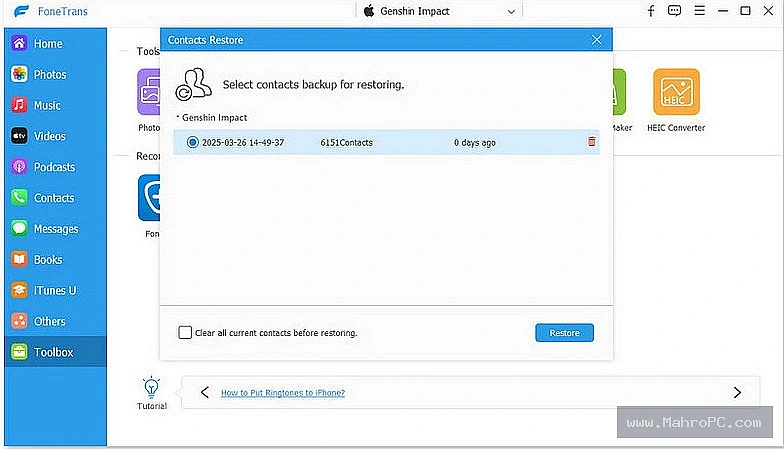
Aiseesoft FoneTrans functions as a specialized desktop application for transferring supported data between iOS devices and Windows PCs. Operating as an interactive utility with a 146 MB file footprint, the software provides a direct interface to move media and database records without requiring the full iTunes desktop application interface.
Core Architecture and Functional Mechanisms
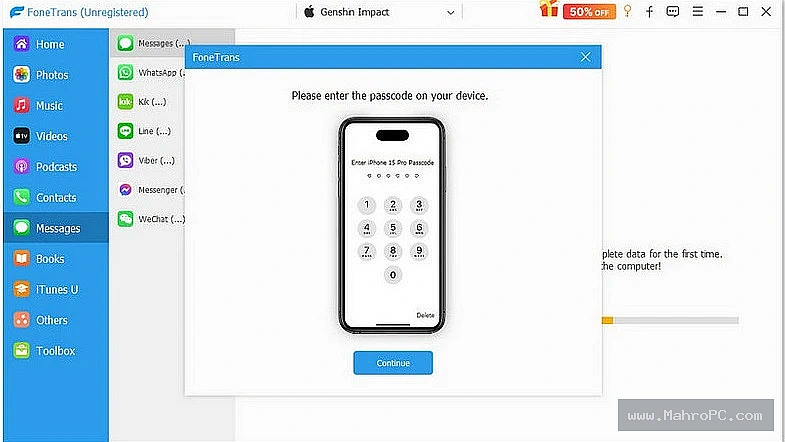
The utility relies on the Windows Apple Mobile Device Service and associated drivers to establish communication with connected iOS endpoints. When a device is attached over a physical USB interface, the application utilizes the underlying Apple device drivers to complete the standard cryptographic pairing handshake.
The application extracts specific information catalogs, such as contacts, messages, and media files. During the extraction process, integrated conversion tools translate Apple-specific formats—such as converting HEIC images to standard JPEG formats or AAC audio files to WAV files—before saving the data to the designated local storage path. This transfer operation writes data straight to local storage, avoiding prolonged system memory usage.
Pros & Cons
Pros:
Operates without executing persistent cloud-synchronization daemons in the background.
Allows targeted selection of files and data fields instead of forcing full multi-gigabyte device backups.
Features built-in conversion utilities to transform HEIC image files into universally readable JPEG formats during transfer.
Cons:
Lacks an administrative command-line interface or native MSI packages for automated software provisioning.
Shows elevated host CPU usage during multi-threaded reading of large, unstructured text databases.
Does not integrate with corporate Mobile Device Management systems, bypassing centralized device policy enforcement.
Key Technical Capabilities Analyzed
The application splits data processing operations into specific functional areas to manage device detection, data extraction, and format normalization.
Device Communication Interface
The application relies on installed mobile device drivers to maintain stable connectivity over the physical USB bus, facilitating data transmission without system sync conflicts.
Targeted Data Extraction
The extraction utility scans accessible storage directories on the connected device to read specific communication logs and user files without duplicating the whole disk structure.
Integrated File Format Conversion
The file converter identifies non-standard formats during the transfer phase, converting them into standard corporate formats.
Enterprise Infrastructure & Optimization Guide
Deploying this utility within a managed environment requires exact system configuration to avoid software conflicts. Network firewalls must allow outbound traffic over port 443 to the vendor's authentication servers for license status checks. Host Endpoint Detection and Response platforms require directory exclusions.
This prevents real-time heuristic scanning from blocking high-throughput data streams across the USB interface during active transfers. Furthermore, the designated temporary storage paths must be configured to utilize local PCIe NVMe drives. This layout ensures optimal write performance and prevents connection dropouts or system lag when moving massive media datasets or large batches of small metadata files.
Hardware & System Requirements
The following hardware matrix outlines the resource baselines required to maintain stable point-to-point data synchronization pipelines without interface timing failures:
Component | Minimum Configuration | Recommended Enterprise Specification |
CPU | Dual-Core x86_64 2.0GHz | Quad-Core Intel Core i5 / Xeon 3.0GHz |
RAM | 2 GB System Memory | 8 GB System Memory |
Storage | 500 MB Free App Space | 50 GB Local NVMe Caching Storage |
I/O Bus | USB 2.0 Interface | USB 3.2 Gen 2 Interface Hardware |
Important: This is a 100% clean, pre-activated Professional edition provided for educational and testing purposes.
Operational Decision Matrix (Verdict)
Deploy If: The enterprise infrastructure strategy mandates local, non-cloud file extraction and targeted data copy operations from individual iOS devices onto Windows workstations, while minimizing background resource usage and avoiding a full vendor application suite.
Avoid If: The security architecture mandates strict Mobile Device Management API monitoring, enforces automated endpoint installation via group policy objects, or requires centralized auditing of all mobile device data migrations across the corporate network.
Frequently Asked Questions
Why does file extraction fail when accessing third-party application data?
The utility accesses standard, unprotected application directories. Highly secure or encrypted third-party app folders block access unless the target database is completely unencrypted.
How do administrators deploy the application silently without native MSI files?
Administrators must run the executable installer using command-line deployment switches specified by the underlying installation wrapper within endpoint deployment tools.
What causes connection drops during large asset migrations?
This often occurs when strict endpoint protection software monitors the USB interface and interprets rapid data transmission as an unauthorized data leak. Adding a tracking exemption for the driver processes resolves this conflict.