AnyMP4 Blu-ray Ripper Latest 2026: Evaluating Transcoding Throughput and Resource Allocation
Introduction
Organizations migrating Blu-ray archives should evaluate storage throughput, optical read performance, and transcoding requirements before selecting extraction software. AnyMP4 Blu-ray Ripper functions as a dedicated utility designed to convert physical and virtual optical disc structures into standard digital containers such as MKV, MP4, and WebM. The application is intended for desktop-based Blu-ray extraction and media conversion workflows. It targets the operational requirement of compressing high-bitrate source video streams into delivery formats, providing administrators with configurable parameters for bitrate limits, resolution scaling, and audio stream retention.
Core Architecture and Functional Mechanisms
The application accesses supported optical media through the operating system's storage interfaces before analyzing the disc structure. Once the internal directory (typically UDF 2.50 or higher) is mapped, the software identifies primary title playlists and the associated video object streams (.m2ts).
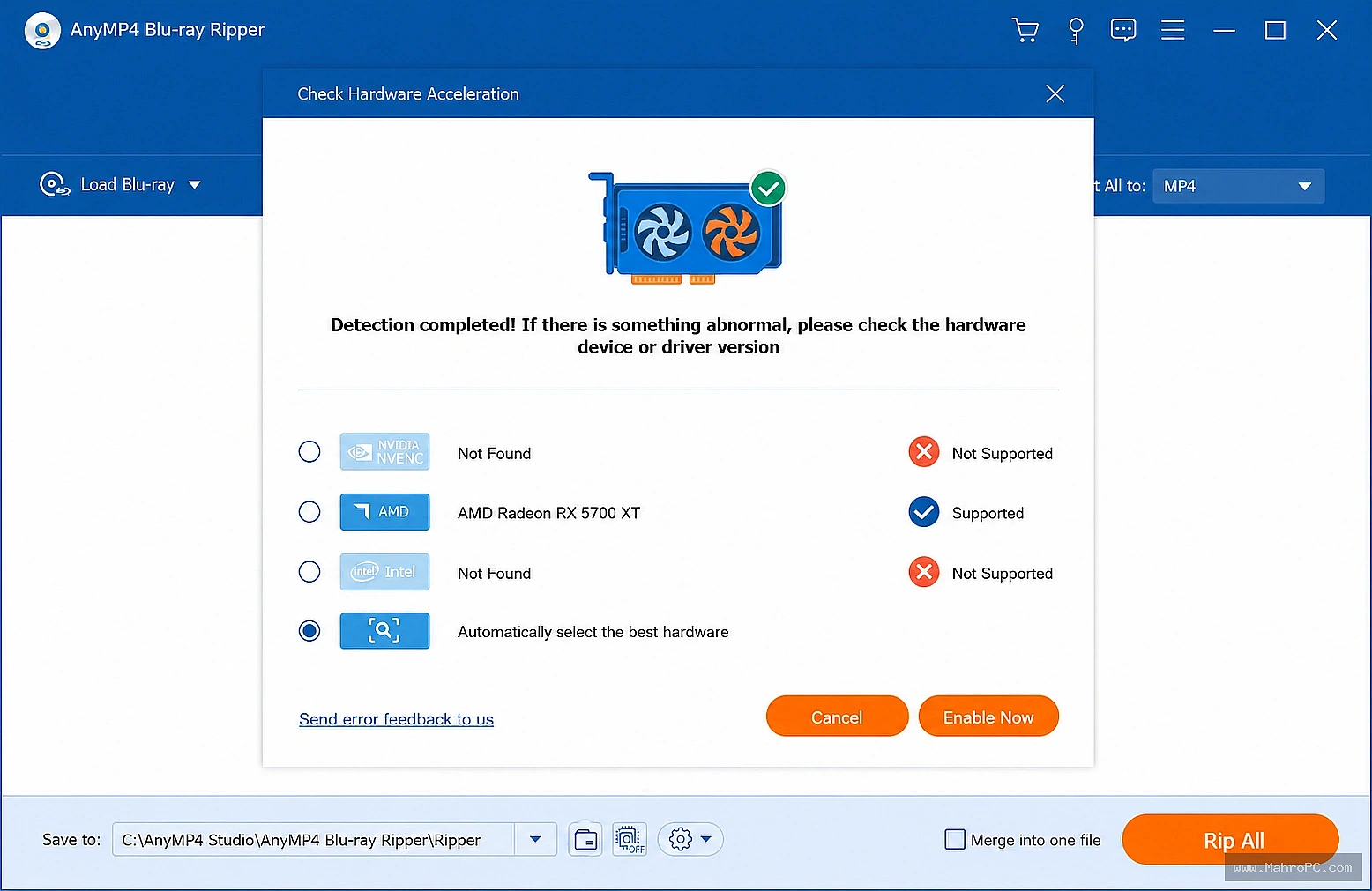
During the conversion phase, the software decodes the source stream and applies the selected compression profile. When supported hardware is available, the application can use vendor-specific hardware acceleration technologies such as NVIDIA NVENC, AMD AMF, or Intel Quick Sync Video. Software-based encoding relies on CPU resources and available system memory when hardware acceleration is unavailable.
Pros & Cons
Pros:
Hardware Decoding/Encoding Support: Observable integration with discrete GPU APIs reduces CPU load during sustained transcoding operations.
Container Versatility: Native export targets include standard B2B video containers, allowing configurations that support multi-channel audio mapping.
Batch Job Queueing: The application supports batch processing. Confirm whether queued jobs execute sequentially or concurrently for the tested software version.
Source Format Flexibility: Processes standard commercial BDMV directory structures and local block-level ISO images.
Cons:
High Compute Saturation: When executing purely software-based HEVC/H.265 conversions, CPU utilization can reach maximum capacity, limiting multitasking on the host workstation.
No Native CLI Support: Lacks a documented command-line interface, preventing integration into automated, headless server environments.
Local I/O Dependency: Sharing the same storage device for source and destination files may reduce overall throughput on some systems.
Enterprise Infrastructure & Optimization Guide
To baseline this application within an enterprise environment, deployment teams should standardize hardware configurations and validate observable metrics.
Antivirus Exception Policies: Define local exception rules within enterprise EDR solutions for the targeted output directories to prevent real-time scanning overhead during sequential write operations.
Storage Path Optimization: To maximize throughput, direct the output path to a distinct physical drive (preferably an NVMe SSD) separate from the source media read-path.
Capacity Planning: Ensure adequate free storage capacity to reduce the risk of interrupted encoding caused by insufficient disk space.
Key Technical Capabilities Analyzed
Optical Structure Ingestion
The software parses physical or virtual block devices to expose multiplexed video, audio, and subtitle tracks within the UI. Users can manually isolate required streams to prevent the processing of unnecessary supplementary audio or localized subtitle data.
Transcoding Parameter Controls
The conversion module allows administrators to define explicit target parameters. Adjustable variables include video bitrates, frame rates, and specific codec profiles, providing control over the final file size versus visual fidelity ratio.
Audio Stream Management
The software supports audio passthrough or active transcoding. Depending on the target container, administrators can opt to maintain the original AC-3 or DTS audio tracks, bypassing the encoding phase to preserve audio data integrity.
Hardware Requirements & Validation Methodology
Component | Minimum Specification | Recommended Enterprise Validation Target |
Processor (CPU) | Intel Core i3 / AMD Ryzen 3 | Intel Core i7 / AMD Ryzen 7 (8+ Cores) |
System Memory (RAM) | 4 GB | 16 GB DDR4/DDR5 |
Storage Architecture | Standard SATA HDD | Dedicated NVMe M.2 SSD |
Graphics (GPU) | Integrated Graphics | Dedicated GPU supporting NVENC/AMF APIs |
Important: You can download the software directly from the download button provided below on the page for quick access.
Operational Decision Matrix (Verdict)
Deploy If: The workstation environment is equipped with discrete GPU hardware, and the primary objective requires a GUI-driven utility for local media extraction and container conversion with manual parameter controls.
Avoid If: The deployment relies on automated, script-driven headless environments, requires dynamic API integration, or relies on storage volumes with restricted write capacities.
Frequently Asked Questions
Q: Why might the application fail to utilize discrete GPU hardware during a conversion task?
A: GPU utilization depends on the specific codec, resolution, and format combination selected. If the hardware encoder does not support the chosen target profile, or if the source read-speed creates an I/O bottleneck, the application will default to or fall back upon standard CPU-based software rendering.
Q: How does the software handle physical media damage during ingestion?
A: If the application encounters unreadable sectors on a physical optical disc, the extraction thread will typically fail to parse the specific .m2ts segment, resulting in an incomplete output file or a failed job status.
Q: Can the application preserve Dolby Atmos audio data in the exported file?
A: Preservation of Dolby Atmos depends on the source format, selected output container, codec compatibility, and playback environment. Verify support against the application's current documentation.