Read our review of Algorius Net Viewer 2026 to see how it handles local network mapping, server infrastructure logging, and device monitoring.
Introduction
Managing a modern computer network requires clear visibility over every connected device and server infrastructure link. When unauthorized connection drops or memory slowdowns occur, identifying the exact source of the fault becomes a major priority.
If you want an efficient way to keep track of your local workstations, desktop infrastructure utilities offer centralized control over your hardware diagnostic lines. Algorius Net Viewer 2026 provide an organized local workspace to map device layouts, monitor network protocols, and receive immediate status warnings. This technical guide reviews the latest feature optimizations, baseline hardware requirements, and localized deployment methods for your system.
Automated Network Mapping and Local Visualization
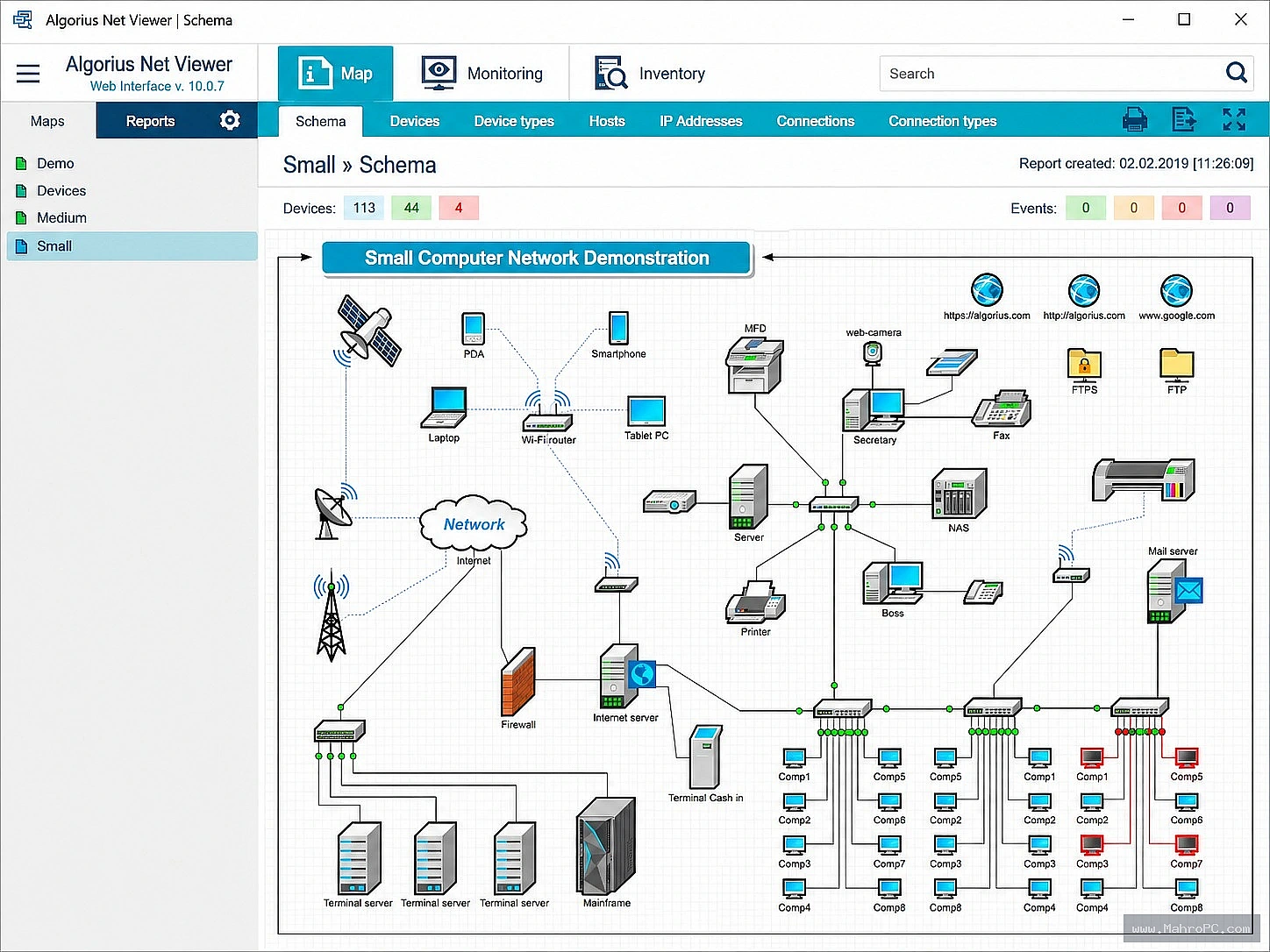
The network monitoring application performs automated architecture scanning using vector graphics to map complex local topologies. Because the visualization engine processes data locally on your administration computer, your internal configuration assets stay secure on the host workstation. This isolated mapping structure eliminates data leakage risks and functions without external network dependencies.
The underlying layout engine displays live network connections using clean, scalable SVG file schemes. It tracks server nodes, structural switches, and endpoint devices to build an interactive diagram of your entire setup. This real-time visualization helps you catch hardware alignment errors and trace connection blockages before they interrupt corporate workflows.
Multi-Protocol Monitoring and Instant Alert Management
The application features advanced scanning profiles to check the system health of your servers around the clock. It runs local diagnostic requests over common operational channels, including standard HTTP, FTP, and SNMP verification lines. These asynchronous background checks monitor device performance metrics without slowing down your active office data speeds.
The software also includes multi-channel warning alerts to notify your IT team about unexpected system drops. When an endpoint device disconnects, the utility transmits instant alerts through local desktop notifications or automated internal logging systems. These direct communication pathways allow your staff to address connection errors immediately during routine maintenance tasks.
System Prerequisites and Infrastructure Deployment
To help your technology team verify server infrastructure compatibility, the base installation requirements are listed below.
Parameter | System Target Specification |
Supported Host Platforms | Windows 11, Windows 10 (64-bit), Server 2008 to 2025, or Linux with Wine |
Minimum Hardware Speed | 1 GHz Intel or AMD Central Processing Unit |
Memory Resource Allocation | 8 GB RAM baseline for standard monitoring queues |
Internal Storage Footprint | 100 MB available space on local solid-state storage |
Security Package Validation | Executable installer utilizing administrative signature verification |
Important: You can download the software directly from the download button provided below on the page for quick access.
Structural Pros and Cons
Reviewing the practical engineering layout illustrates how the application manages system assets alongside its deployment limits.
Verified Advantages
Local scanning architecture protects your internal company network charts from internet exposure.
Asynchronous execution profiles let you monitor large device queues without causing performance lag.
Clear visual diagram tools simplify diagnostic tracking for small businesses and large setups alike.
System Constraints
Processing intensive tracking cycles can increase CPU and memory utilization during large inventory audits.
Advanced custom notification parameters require a small learning curve for non-technical users.
Advanced reporting options depend on active file logging configurations inside your central host unit.
Conclusion of Algorius Net Viewer
Network administration software reduces manual tracking efforts when infrastructure scanning and visual mapping options match your operational requirements.It offers a secure path for technology groups handling server infrastructure updates.
Test the monitoring package using small network segments to evaluate scanning speeds before applying it across your entire corporate system. For more software setup tutorials and local inventory management guides, feel free to visit our homepage keyword section.
Frequently Asked Questions
Does the application require local administrator privileges to map network devices?
No, the core visualization features run smoothly without root administrative system access on your primary computer.
Which transfer protocols does the monitoring engine utilize for status checks?
The platform supports multiple standard connection channels, including common monitoring lines like HTTP, FTP, WMI, and SNMP.
Can I generate custom performance reports through the web interface?
Yes, the built-in system allows you to export detailed connection logs into standard formats like Word, Excel, and PDF files.
Does the system save configuration data on cloud databases?
No, all network charts, asset directories, and system log files are processed and saved locally on your workstation.